Showing posts with label lulu. Show all posts

Wednesday, November 04, 2009

More problems with Lulu uploads


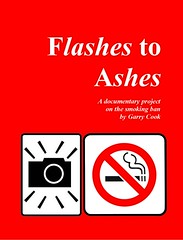
A new, if slightly boring blog, on how to publish books with Lulu.com. The first blog posted in January 2008 was for problems with my Flashes to Ashes book. It was a Crown Quarto Full Bleed book.

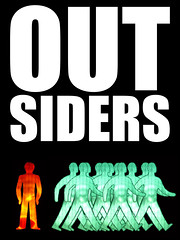
This one, a promotional copy of Outsiders, is a 44-page saddle-stitched A4. Book sizes below 68 pages cannot be perfect-bound with Lulu.


The key phrase here is ‘saddle-stitched’. The covers for saddle-stitched books require no spine, though it is almost impossible to verify this on the Lulu website.


It took me five hours to find these words (only revealed when you try the online one-piece cover upload):


One-piece cover requirements:


Your file must be a PDF


Spine width: 0 Postscript points wide (0.000cm)


Spine begins 604 Postscript points (21.31cm) from the left.


Total cover width: 1208 X 860 Postscript points (42.61cm x 30.34cm)


Basically, this means the length of your InDesign document should be 42.61cm x 30.34cm.


If your pdf cover includes imported text or graphics against a similar coloured background they can often come out in a different tone – even though it looks perfect on your screen.


Best thing to do is open the pdf in photoshop which will flatten which will rasterize (whatever that means) the file in to a single layer after asking for a DPI (choose 300) and colour palette (choose RGB).


Converting to a pdf (from an InDesign file)


Follow the Lulu pdf guidelines here, which include downloading a Lulu pdf preset, then selecting it during the Adobe pdf preset process.


Also you must still embed the fonts. The same Lulu guidelines page has this information. You may have to download Lulu’s Adobe Job Options too.


And the last problem concerns ftp transfer, which you will need to do because your pdf will undoubtedly be over the 300mb limit


FTP file transfer


With ftp software FileZilla you need to fill in three login boxes (connect to, username, password).


You connect to Lulu with this address: ftpupload.lulu.com


Lulu tells you that username and password is the same as your Lulu login details – but you actually need to type your full email address in the username box for the ftp logon to work.


NOTE: This blog may be amended as further problems arise. Goodbye.

Monday, July 06, 2009

Online book publishing: Blurb pdf uploads, easier than lulu (just)

Okay, the good news is that online printing outfit Blurb now accept pdf uploads just like competitor Lulu.

The bad news is that Blurb’s system it is only marginally simpler to get right than Lulu.

Lulu is still a winner when it comes to price, book sizes and styles, having dozens of alternatives to Blurb’s six.

The book’s I’ve seen from Blurb have been of high in quality.

My first attempt to upload a pdf was far from a cake walk so, just to jog my memory, here is a quick guide on how to get it right:

Guide for Standard Portrait, hardcover with dustjacket in InDesign.

Problem one: pdf upload does not work with Internet Explorer. I had to use Firefox.

Problem two: winzip templates download failed to unzip dustjacket template. Error message states that the file name exceeded 260 characters. It didn’t, but I could only unzip these when I manually renamed them in the winzip program.

To make sure you can convert your pdf easily, ready Blurb’s downloadable pdf conversion guide (which is a pdf file). Follow the instructions to add the Blurb pdf template into InDesign’s pdf conversion option.

Problem three: My document sizes for the book and cover pdf’s did not match those stipulated by Blurb.

To conquer this follow these steps (sizes used here are for standard portrait pdf, 44 pages, premium paper, hardcover dustjacket):

1. Use points as a measurement so you can check for faults easier with Blurb’s guidelines.
2. Set Indesign doc size to Trim Size specified by Blurb. Book: 558pt x 702pt. Cover: 1833pt x 720pt.
3. Add Bleed specified by Blurb for top, bottom and outside edges only. The bleed for the dustjacket is for all sides (top, bottom, inside, outsider). Book: 9pt. Cover 9pt.

When my first few uploads failed pre-flight checks Blurb suggested that I may have forgot to include bleeds marks while converting the document to pdf. This was wrong – you don’t have to change anything in Blurb’s pdf conversion template set-up. It’s more than likely you have the incorrect document measurements.

The outputted pdf size for the book itself should be: 567pt x 720pt. The cover should be: 1851pt x 738pt.

At any time you copy one of your pages on to the Blurb template to see if it fits.